How to Change the Radio Station in GTA 6 on PS5 and Xbox
Quick answer
In a vehicle, hold left on the D-pad. While holding it, use L1 or R1 on PS5, or LB or RB on Xbox, to highlight a station. Release the D-pad to listen.
Open the radio menu in a vehicle
Get into the driver’s seat and hold left on the D-pad until a row of station logos appears at the top of the screen. Keep holding the button while you browse.
Choose a station
On PS5, press L1 to move left through the stations or R1 to move right. On Xbox Series X|S, use LB or RB. You can also browse with the right stick. The logo in the middle is your selection. Its name appears below it, above the track and artist.
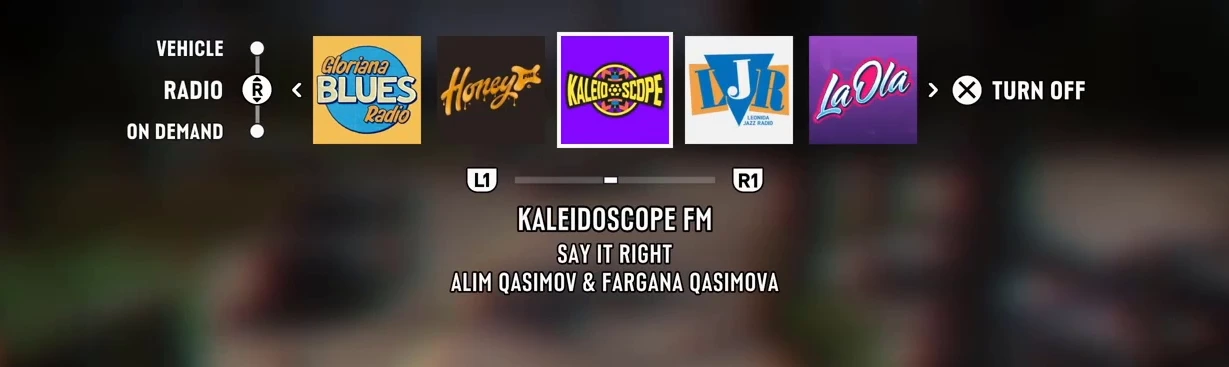
Turn the car radio off or back on
Open the selector again. When the prompt reads Turn Off, press × (Cross) on PS5 or A on Xbox. To hear music again, reopen the selector and use the on-screen toggle. If the controls disappear while you are choosing a station, hold left on the D-pad again.
Expected result
The station menu closes when you release the D-pad. The station you highlighted keeps playing as you drive.